
Best screenshot tools for Mac, Windows and Linux
Explore top screenshot tools for Mac, Windows, and Linux. Capture, edit, and share images effortlessly with these user-friendly apps.
Quick answer
This collection has 14 pay-once apps, priced from $7.99 to $75 one-time. 7 of them offer a free tier, including Savvyshot, Snipaste and Supasnap. Between them they cover Mac, Windows, Web and Linux. Supasnap is our top pick from this list.
Last updated January 2026
Best screenshot tools for Mac, Windows and Linux at a glance
| App | One-time price | Platforms | Free tier |
|---|---|---|---|
| Savvyshot | Free tier, $9.99 one-time | Mac, Windows | Yes |
| Snipaste | Free tier, €19.99 one-time | Mac, Windows | Yes |
| Shotty | $7.99 one-time | Mac | No |
| Supasnap | Free tier, €29.99 one-time | Web | Yes |
| Picyard | Free tier, $49 one-time | Web | Yes |
| Capto | €12.5 one-time | Mac, Windows | No |
| screenrec | Free | Linux, Mac, Windows | Yes |
| Aiseesoft Screen Recorder | Free tier, $49.9 one-time | Mac, Windows | Yes |
| Shottr | Free tier, $8 one-time | Mac | Yes |
| Snagit | $75 one-time | Mac, Windows | No |
| Gifox | €16.99 one-time | Mac | No |
| CleanShot X | $29 one-time | Mac | No |
| PixelSnap 2 | $39 one-time | Mac | No |
| Xnapper | $15 one-time | Mac | No |
Prices are one-time license fees as listed on each developer's site and may change.
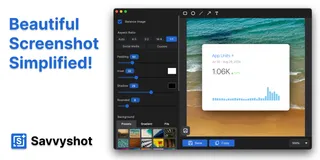
Savvyshot is an all-in-one screenshot editor designed to help you craft beautiful screenshots with ease on Windows and Mac. With features like annotations, customizable backgrounds, and auto-redaction, you can enhance your visuals and create share-worthy images in just a few clicks. Capture any region or window instantly and enjoy seamless editing with a built-in intuitive editor.
Perfect for professionals like designers, developers, and content creators, Savvyshot streamlines the process of creating polished screenshots without the design overhead. Pay once and own it forever, with free updates for life, making it a valuable tool for anyone needing fast, high-quality screenshots.
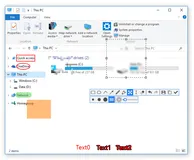
Looking for an efficient way to handle screenshots? Snipaste offers a sleek solution by combining snipping and pasting functionalities in one intuitive package. Once you download Snipaste, simply hit 'F1' to capture your screen in pixel-perfect detail, then press 'F3' to pin your screenshots as floating windows on your desktop.
This feature-rich tool not only captures still images but also recognizes text and color information from your clipboard, converting them into interactive windows.
Imagine the convenience of zooming, rotating, flipping, and adjusting the opacity of these windows, while also having them be click-through! Perfect for developers, designers, and anyone spending significant time on a computer, Snipaste will transform the way you work. With Snipaste, your productivity is set to soar thanks to the array of hidden features waiting to be discovered.
For an in-depth exploration of its capabilities, you can dive into the manual provided on their website.

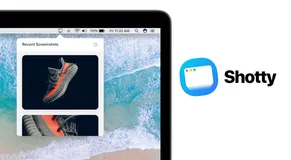
Shotty revolutionizes the way you handle your screenshots, providing a seamless and intuitive user experience right from the menu bar. With just a few clicks, it allows you to effortlessly locate and utilize screenshots for any purpose. Beyond simple retrieval, Shotty also offers quick annotation tools, enabling you to add that critical note or highlight before sharing.
Satisfying over 11,000 users, Shotty is celebrated not just for its performance but also for its discreet presence. It integrates so smoothly that it feels like an organic part of the macOS ecosystem, making users wonder how they managed without it.
This application, highly commended for its user-friendly design and efficiency, takes away the hassle and transforms the screenshot management into a delightful task.

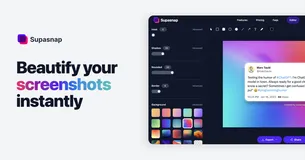
Supasnap is your go-to solution for upgrading the way you work with screenshots. Just drag and drop to start! Immediately edit your images using a plethora of customization options and make your screenshots stand out with seamless editing tools. Craft the perfect visual with customizable backgrounds, borders, shadows, and annotations.
Whether you're looking to round off edges for a softer look or frame your capture with a sleek border, this tool has you covered. Optimize your images for any social media platform and impress your audience. Add browser mockups in light or dark modes and annotate with text or drawings to convey your message clearly.
Capture with convenience, as everything runs directly in your browser, assuring complete privacy. With the ability to save and export your designs in various formats, share directly to social media, and save your designs for future tweaking, your screenshot process will be revolutionized. And with a promise of privacy, your snaps will remain yours alone unless saved for later editing.

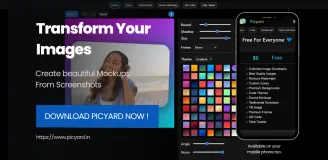
Discover the future of image editing with Picyard, the go-to web application that offers an expansive suite of tools for producing stunning visuals. Crafted for both novices and professionals, this platform simplifies the process of generating eye-catching images for various needs.
From QR codes to code snippets, testimonials to timelines, and social media posts to blog graphics, Picyard has it all. Dive into an intuitive experience that requires zero design skills, with a user-friendly interface that welcomes individuals from every walk of life.
Picyard isn't just another image editor; it's a constantly improving platform committed to innovation, packed with new features and upgrades to keep your visuals fresh and engaging. With Picyard, you confidently create content that captivates your audience, amplifies your online presence, and delivers messages with visual impact.
Whether you're aiming to enhance your marketing strategy or just create visually dynamic content for personal projects, Picyard is the ultimate online toolbox for all your creative endeavors.

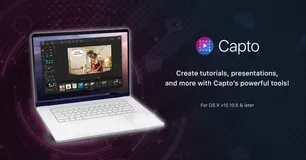
Capto provides Mac users with an effortless solution for capturing screens and editing videos. It offers a seamless experience from recording high-definition footage with 60 FPS and clear audio to post-capture editing with a powerful suite tailored for perfection. With features for both screen and web captures, users can take full-screen images or select specific areas.
The tool allows for editing screenshots and enhancing them with annotations or adjustments. Capto's dual audio editor enhances the output's quality by allowing independent system and microphone audio edits. Additionally, iOS screen recording is available, enabling users to capture their iPhone or iPad's activity.
File management is optimized with an intuitive structure for easy access and organization. And for the final touch, Capto has built-in sharing capabilities, supporting direct uploads to various platforms like Facebook, Tumblr, Dropbox, Evernote, and YouTube, or onto your remote servers via FTP/SFTP.

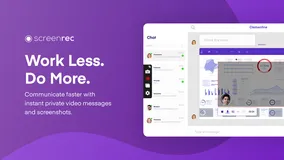
Tired of the endless emails and chats that consume your workday? Make a shift to a more efficient communication style with this powerful screen recording tool. Quickly explain complex topics, reduce misunderstandings, and enhance collaboration within your team by sharing visual messages.
This application is a game changer not just for your workflow but for interacting with customers, managing projects, and providing design feedback, among other uses. With a suite of features designed to simplify your life, you can capture your screen, add annotations, and share content instantly while maintaining complete control over privacy.
This tool also includes analytics to understand viewer engagement and content management to organize your captures effectively. From software developers doing code reviews to sales teams providing personalized demos, this application caters to a diverse range of professional needs.
It has proven to transform business communications, as evidenced by glowing testimonials from industry leaders who have witnessed the app's impact on their operations.
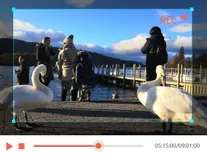
Discover the ultimate solution for capturing your screen's activities with precision and ease. This top-tier software provides a seamless experience for recording anything from gameplay to video calls, presentations to tutorials, and everything in between. Elevate the quality of your recordings with an array of editing tools designed to emphasize key information and customize content in real-time.
Benefit from advanced features like high-quality audio capture, GPU-accelerated recording, and versatile output formats that cater to your every need. With a robust set of functionalities, this application ensures that your screen captures are not only flawless but also tailored to your preferences.
You can edit, merge, trim, compress, and convert your recordings with just a few clicks, making post-recording processes a breeze. Plus, effortlessly record your mobile device screen right from your computer for an unmatchable viewing experience.

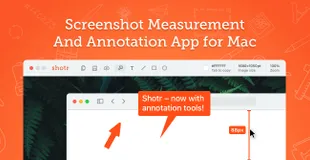
Discover the streamlined efficiency of macOS's premier screenshot utility. Specially designed to be both compact and powerful, the app takes up minimal space and performs at blazing speeds, initiating in a mere 17ms. With seamless integration for the latest Apple chips, this app realizes your need for speed and performance.
The tool boasts the unique ability to capture entire webpages or lengthy chats via scrolling screenshots – a rarity amongst Mac apps. Edit images with annotations or hide sensitive details using its intuitive pixelation and object removal features. Text recognition (OCR) transforms non-selectable text into copy-ready content, while QR code reading adds yet another layer of convenience.
Keep your workspace organized and your references at hand by pinning screenshots on top of all windows, utilizing built-in screen measurement tools, and keeping your desktop clutter-free with a dedicated save folder. Zoom into the fine details or pick colors accurately with its digital magnifying glass feature.
Designed for designers, developers, and pixel perfectionists, this application redefines your screenshot-taking experience, ensuring high precision and utility. Recent updates include expandable canvas, side-by-side screenshots, and various experimental features to enhance your workflow.
With every update, the application continues to refine its functionality and user experience, prioritizing performance, and versatility.
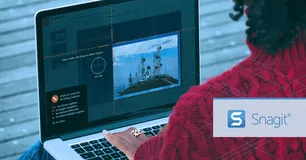
Snagit is the preferred solution for over 40 million users looking to create high-quality visuals and recordings, streamlining their communication and work process. With a rich array of features, it rises above basic built-in tools, providing a comprehensive suite for creative and professional output.
Navigate through clutter effortlessly with Snagit's Library, keeping your content synced and sorted. Edit with ease, using the powerful text recognition to modify screenshots or create simplified user interface graphics with a single click. Smart move functionality and customizable presets augment the user experience, promoting efficiency.
Snagit's editor is built for creativity, allowing users to polish captures with professional templates and markup tools. Share your work anywhere with convenient integration across multiple platforms like PowerPoint, Excel, and more. With Snagit, you can capture anything, tailor your recordings, and boost productivity with its advanced editing capabilities.
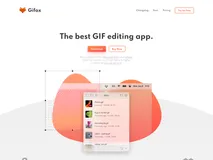
Gifox is an innovative tool designed for content creators, teams, and anyone looking to enhance their digital communication. Leveraging the simplicity and effectiveness of GIFs, Gifox delivers a new approach to screen recording. It offers an intuitive interface for capturing any part of a screen or using window-snap mode for pixel-perfect recordings of any app functionality.
Drag videos and image sequences into the software to convert them into GIFs, then share them with ease within other apps. The built-in editor comes with advanced tools to quickly crop, cut, trim, rearrange, and re-export both recorded and imported videos.
You can even pick what to record, like cursor movements, mouse clicks, and keyboard input, allowing for incredibly detailed instruction or thorough reporting. Further setting Gifox apart is impressive GIF compression capabilities. Control the output quality and file size to your precise needs and share your creations with a click.
Infusing screensharing with the versatility of gifs, Gifox redefines digital communication.
CleanShot X is a multipurpose screen capturing tool, built to enhance the workflow of Mac users. It seamlessly blends with your tasks, acting as an 'invisible' application that's eliminating the need for multiple apps. With CleanShot X, you can capture, share, annotate, and even record your screen with minimal effort.
The app's quick access overlay makes your workflow smooth, allowing you to easily save, copy, drag, and drop screenshots or screen recordings to other applications. Additionally, it comes integrated with powerful features like scrolling capture for larger content.
You can record your screen activity, showing your webcam feed, highlighting mouse clicks and keystrokes, and even suppressing notifications for a clean recording. It also boasts a background tool and text recognition for enhancing your posts or copying text from non-selectable sources.
For a tidier workspace, CleanShot X offers the option to hide desktop icons permanently or temporarily and even allows you to pin screenshots to keep crucial things always visible. Other useful features include a self-timer, retina screenshot scaling, a custom wallpaper setting, and numerous adjustments for a personalized workflow.
This native app bridges the gap between functionality and performance, delivering robust features in a user-friendly package.
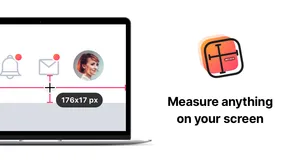
PixelSnap 2 is a revolutionary app that innovates the process of measuring anything on your screen. It has been completely revamped to provide a truly magical experience. Use PixelSnap 2 to measure distances swiftly between any elements on your screen, instantly find object boundaries by simply dragging an area around it, and easily measure multiple objects.
The tool enables you to add snappable guides for checking alignment, export measurements as an image for easy collaboration, and adjust tolerance to work with shadows and low contrast elements. The responsive app also offers an option to change appearance according to user preference - you have the choice between light and dark mode and can adjust the colors.
PixelSnap 2 is equipped to integrate seamlessly with popular tools like Sketch, Affinity Suite, Adobe XD, and Figma. Get ready to upgrade your workflow with this high-performance, fast, and remarkably convenient screenshot tool.

Xnapper is a powerful tool assisting thousands of creators daily in capturing beautiful screenshots. It excels in speed and keeping your screenshots perfectly balanced without needing any additional effort. Xnapper makes it convenient for users to focus on the content while the app looks after the rest.
A distinctive feature is the automatic redaction of sensitive information, providing single-click privacy control over information such as emails, credit cards, etc. More traditional features exist too, such as arrows, shapes, text, and blurring options for a comprehensive screenshot experience.
Social media sizes and ratios are built-in, along with presets and customizable settings for any unique requirements. It has the ability to compress output images and swiftly recognize text on-device for ease of use. An upcoming feature is the ability to upload these processed screenshots to the cloud.
FAQ
What is the cheapest app in this collection?
Shotty is the cheapest option at $7.99 one-time.
Are there free options in this collection?
Yes. Savvyshot, Snipaste, Supasnap, Picyard and screenrec offer a free tier, with a one-time upgrade if you need more.
Which platforms does this collection cover?
These apps run on Mac, Windows, Web and Linux.
Do these apps require a subscription?
No. Every app on PayOnceApps is listed because it sells a one-time (perpetual) license. Some also offer a free tier or trial. Prices are checked against the developer's site but can change, so confirm on the app's website before buying.