
Gifox is an application that excels in recording and converting screen activity into animated GIF files, perfect for presentations, tutorial content and bug reporting.
Gifox is a one-time purchase Mac app in Design. It costs €16.99 one-time, with no subscription.
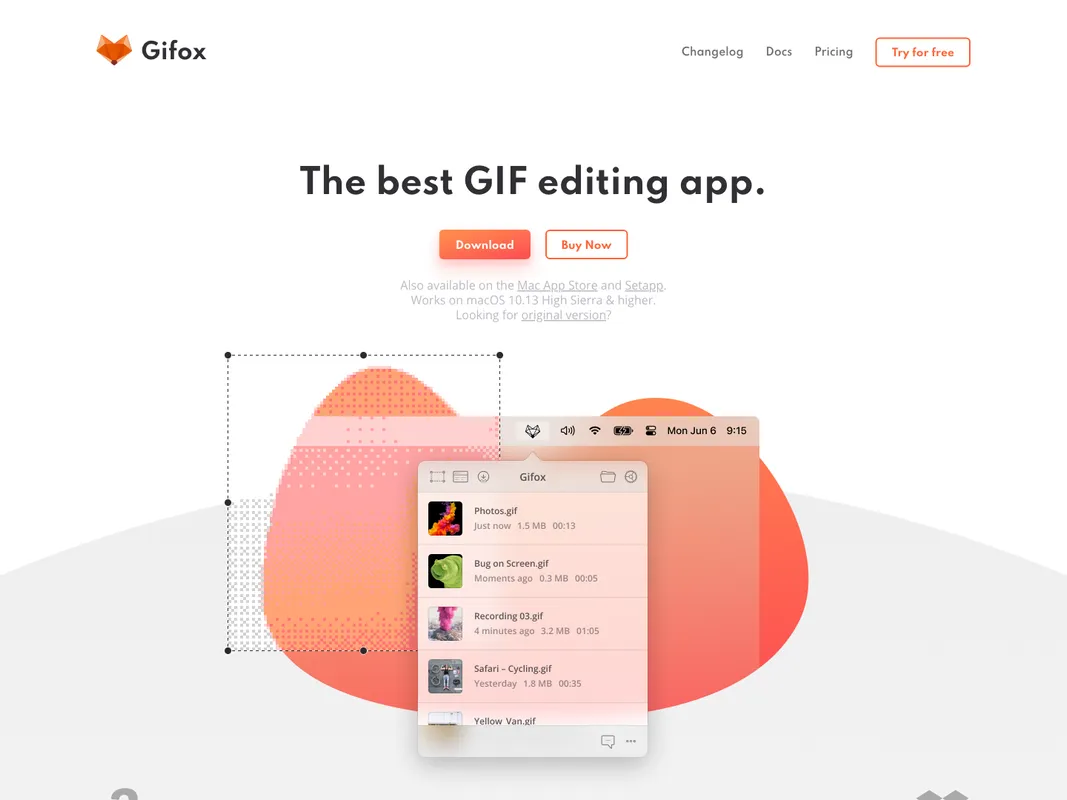
Gifox is an innovative tool designed for content creators, teams, and anyone looking to enhance their digital communication. Leveraging the simplicity and effectiveness of GIFs, Gifox delivers a new approach to screen recording. It offers an intuitive interface for capturing any part of a screen or using window-snap mode for pixel-perfect recordings of any app functionality.
Drag videos and image sequences into the software to convert them into GIFs, then share them with ease within other apps. The built-in editor comes with advanced tools to quickly crop, cut, trim, rearrange, and re-export both recorded and imported videos.
You can even pick what to record, like cursor movements, mouse clicks, and keyboard input, allowing for incredibly detailed instruction or thorough reporting. Further setting Gifox apart is impressive GIF compression capabilities. Control the output quality and file size to your precise needs and share your creations with a click.
Infusing screensharing with the versatility of gifs, Gifox redefines digital communication.
Gifox can be used on macOS 10.13 High Sierra and higher versions. The core of Gifox's functionality comes in its ability to make perfect screen selections, convert videos and image sequences into GIFs, use advanced editing tools to modify recordings and imported media, decide the specificity of what's recorded, optimize gif compression, and smoothly share creations. 1.
Perfect screen selection for precise recording 2. Conversion of videos and images into GIFs 3. Advanced editing tools for cropping, cutting, rearranging 4. Adjustable recording settings 5. Optimal gif compression 6. Easy sharing with a click.
+3 more


+2 more

+5 more

+6 more
+2 more