
Best Apps to create stunning videos for Mac, Windows and Linux
Check out our cool digest on the best video tools! Find apps for adding neat effects and turning your clips into awesome product videos. It's all about making your video projects stand out.
Quick answer
This collection has 12 pay-once apps, priced from $15.99 to $89 one-time. 3 of them offer a free tier, including Debut, Slant it and screenrec. Between them they cover Mac, Web, Windows and Linux. Debut is our top pick from this list.
Last updated May 2026

Best Apps to create stunning videos for Mac, Windows and Linux at a glance
| App | One-time price | Platforms | Free tier |
|---|---|---|---|
| Dina | $49 one-time | Mac | No |
| Debut | Free tier, $39 one-time | Mac | Yes |
| Slant it | Free tier, $49 one-time | Web | Yes |
| Capto | €12.5 one-time | Mac, Windows | No |
| screenrec | Free | Linux, Mac, Windows | Yes |
| Animotica | $15.99 one-time | Windows | No |
| Motionscribe | $89 one-time | Mac | No |
| Product Video Examples | $29 one-time | Web | No |
| Gifox | €16.99 one-time | Mac | No |
| FocuSee | $79.99 one-time | Mac, Windows | No |
| Screen Studio | $89 one-time | Mac | No |
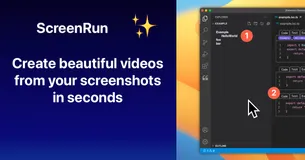
| Screenrun | $24.99 one-time | Web | No |
Prices are one-time license fees as listed on each developer's site and may change.

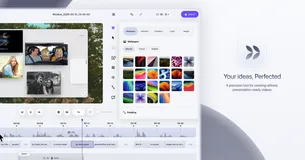
Dina is a precision tool for creating refined, presentation-ready videos on macOS, designed for the AI era. It offers a complete video workflow, capturing screen, audio, camera, cursor, and keystrokes in one take. With features like cinematic zoom and smooth animations, Dina ensures every recording feels polished and engaging.
Ideal for content creators and educators, Dina provides studio-quality 4K output and multiple export formats. Its AI-powered features, such as automatic transcript editing and voiceovers, make it a standout choice. Purchase once and enjoy lifetime updates, making it a valuable investment for any Mac user.

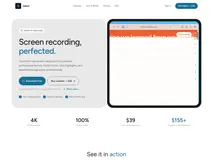
Debut is a professional screen recording tool for macOS, designed to transform raw screen captures into polished, professional demos. It offers features like smart zoom, click highlights, and beautiful backgrounds, all automated to save you time. With 4K 60fps exports and a native Swift app, Debut ensures high-quality results every time.
Perfect for content creators and professionals who need to create stunning demo videos without complex editing software. Debut's one-time purchase model means no recurring fees, and you get lifetime updates. It's an excellent choice for anyone looking to produce professional-quality videos effortlessly.

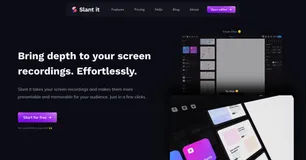
In the digital sphere, capturing audience attention can be challenging. Slant it expertly addresses this issue by turning average screen recordings into captivating, studio-quality videos. Imagine presenting your digital product through recordings that truly stand out, effectively capturing the essence of professionalism.
Through its intuitive interface, Slant it is accessible for both individual creators and larger organizations. The application boasts an impressive suite of features, including a diverse range of 3D animations, adding a new dimension to your presentations.
It enhances not just the visual appeal but the aural experience too, allowing you to add music from your own collection or its expansive library. Snap animations to music beats for that perfect synchronicity. Furthermore, Slant it values your privacy— all editing and exporting processes are done locally on your device, ensuring your creations remain solely yours.
Slant it goes beyond customizing screen recordings. It's equipped with realistic reflection capabilities thanks to the 360° HDRI technology, making your digital work appear tangible within a virtual space.
Whether you're looking to export in horizontal or vertical formats, for platforms like Product Hunt or the Appstore, or whether you're aiming for 1080p resolution or the full glory of 4k—Slant it has you covered.

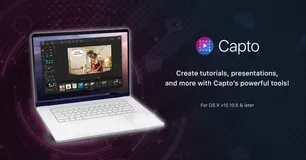
Capto provides Mac users with an effortless solution for capturing screens and editing videos. It offers a seamless experience from recording high-definition footage with 60 FPS and clear audio to post-capture editing with a powerful suite tailored for perfection. With features for both screen and web captures, users can take full-screen images or select specific areas.
The tool allows for editing screenshots and enhancing them with annotations or adjustments. Capto's dual audio editor enhances the output's quality by allowing independent system and microphone audio edits. Additionally, iOS screen recording is available, enabling users to capture their iPhone or iPad's activity.
File management is optimized with an intuitive structure for easy access and organization. And for the final touch, Capto has built-in sharing capabilities, supporting direct uploads to various platforms like Facebook, Tumblr, Dropbox, Evernote, and YouTube, or onto your remote servers via FTP/SFTP.

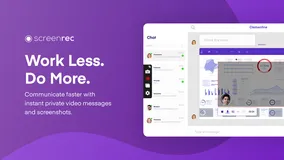
Tired of the endless emails and chats that consume your workday? Make a shift to a more efficient communication style with this powerful screen recording tool. Quickly explain complex topics, reduce misunderstandings, and enhance collaboration within your team by sharing visual messages.
This application is a game changer not just for your workflow but for interacting with customers, managing projects, and providing design feedback, among other uses. With a suite of features designed to simplify your life, you can capture your screen, add annotations, and share content instantly while maintaining complete control over privacy.
This tool also includes analytics to understand viewer engagement and content management to organize your captures effectively. From software developers doing code reviews to sales teams providing personalized demos, this application caters to a diverse range of professional needs.
It has proven to transform business communications, as evidenced by glowing testimonials from industry leaders who have witnessed the app's impact on their operations.


Experience the ultimate video editing software designed for Windows 10 users. Whether you're aiming for YouTube stardom or just crafting personal memories, our video editor is the perfect blend of simplicity and professionalism. With an intuitive interface, making your first video is as easy as downloading the app from the Microsoft Store.
Dive into a suite of basic editing tools to trim, split, and rotate your videos. Speed adjustments, audio overlays, and slideshows are all within a few clicks. No technical skills required - just your imagination. Featuring a plethora of editing capabilities, from trimming, splitting, and merging videos, to adding seamless transitions and captivating effects.
Incorporate your own audio or select from our rich library. Personalize videos further with text, GIFs, and custom overlays. Bring your video project to life with our versatile and accessible editor, transforming your vision into reality with ease.
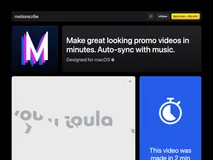
With Motionscribe, users can select a style, add content, and just press play. The application's real-time beat detection keeps their content in sync with any song. Users can add text, videos and images to their projects. These projects can be created in wide, tall or square video formats. The one-time payment offer grants users lifetime access to the application with no subscription required.
All features are included in the purchase. Users can make unlimited projects and unlimited exports. There's also a 14-day money-back guarantee if a user is not satisfied.
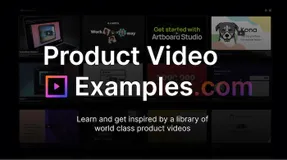
Product Video Examples is a platform designed for any SaaS founder, marketing agency or video freelancer seeking inspiration to create standout product videos. With the primary aim of saving valuable searching time, this platform offers an extensive and constantly growing library of high quality SaaS videos collected from all over the web.
The platform offers a unique feature allowing users to filter videos based on specific needs such as length, video type, and industry. This targeted approach speeds up the searching process, enabling users to find the perfect action-packed 30s videos or an informative 2-minute explainer demo video.
In addition to the resource library, the platform offers tools and tutorials to assist users in creating their own engaging product videos with little effort. With a one-time payment, users get lifetime access to these resources, guaranteeing a return on investment.
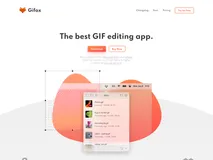
Gifox is an innovative tool designed for content creators, teams, and anyone looking to enhance their digital communication. Leveraging the simplicity and effectiveness of GIFs, Gifox delivers a new approach to screen recording. It offers an intuitive interface for capturing any part of a screen or using window-snap mode for pixel-perfect recordings of any app functionality.
Drag videos and image sequences into the software to convert them into GIFs, then share them with ease within other apps. The built-in editor comes with advanced tools to quickly crop, cut, trim, rearrange, and re-export both recorded and imported videos.
You can even pick what to record, like cursor movements, mouse clicks, and keyboard input, allowing for incredibly detailed instruction or thorough reporting. Further setting Gifox apart is impressive GIF compression capabilities. Control the output quality and file size to your precise needs and share your creations with a click.
Infusing screensharing with the versatility of gifs, Gifox redefines digital communication.

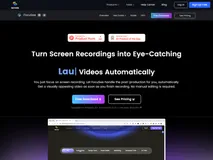
Just record your screen, FocuSee will handle the rest. It automatically follows your cursor as you move it, applying dynamic zoom effects and placing a nice background behind your footage. This results in a professional-grade video ready for use, cutting down the hours and effort typically spent on video editing. Designed for demos, tutorials, promos, product launches, and sales pitch videos.
You can also add in-video quizzes and call-to-action buttons. With FocuSee, you can even resize your video for different social media platforms with a single click. The software can be used to record captivating videos for product releases and updates, making it a versatile tool in your marketing toolkit.
Personalize your videos by selecting selfie and screen layouts, adding frames and filters, or modifying your video with a variety of editing options which include trim, cut, crop, speed up, and slow down. Whether you need a side-by-side setup, an overlay, or screen-only presentation, FocuSee has got you covered.

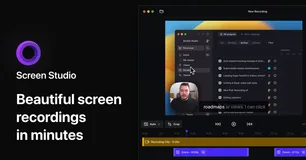
Screen Studio is an intuitive tool that enhances your screen recordings, making them more engaging and easier to follow. It offers a variety of features, geared towards creating quality content for various platforms like social media, YouTube channels, and businesses.
It automatically zooms in on your actions to focus on main points and even offers a vertical export mode for unique viewing experiences. Simple to use, but powerful, Screen Studio can record virtually anything on your Apple computer or any connected device. Along with screen recordings, it also lets you add resources like webcams, microphones, or system audio.
It makes voice volume normalizing and background noise reduction an automatic process. Users have the option to generate a transcript of their video and add it as subtitles, which is particularly useful for tutorial type content. Additionally, it can record system audio from all apps or just selected ones, making audio tutorial creation easier.
Screen Studio also allows you to add customizations to fit your branding style. Changing the background, outer spacing, shadow, and insets of your video is just a mouse-click away. Screenshots can be easily trimmed, cut, or sped up as required for sharper focus on crucial segments. Uniquely, Screen Studio offers a series of export options to optimize your video for different platforms.
You can export videos in up to 4K 60fps or in low-size GIFs, or even copy your video to clipboard for quick sharing across platforms.

Reimagine the way you create and share videos with Enter Studio. A platform innovatively designed to make video creation simple yet effective. The tool is trusted by over 4000 creators who appreciate its user-friendly interface and rich features. Simply upload your content, use the studio to craft your video and share your masterpiece with the world.
The process is so streamlined that you can create your video in as few as 5 clicks. With Enter Studio, the possibilities are endless and you are the director. Whether you're a beginner or a professional, Enter Studio accommodates all levels of experience. Join the community and start creating, sharing and inspiring today with Enter Studio.
FAQ
What is the cheapest app in this collection?
Animotica is the cheapest option at $15.99 one-time.
Are there free options in this collection?
Yes. Debut, Slant it and screenrec offer a free tier, with a one-time upgrade if you need more.
Which platforms does this collection cover?
These apps run on Mac, Web, Windows and Linux.
Do these apps require a subscription?
No. Every app on PayOnceApps is listed because it sells a one-time (perpetual) license. Some also offer a free tier or trial. Prices are checked against the developer's site but can change, so confirm on the app's website before buying.