
Best pay-once Images And Photo apps for Windows
Subscription photo and screen tools can be overkill for basic Windows image work. These pay-once apps cover capture, scanning and compression, including Snagit, VueScan and Zipic.
Quick answer
This collection has 10 pay-once apps, priced from $2.99 to $75 one-time. 7 of them offer a free tier, including Panovolo, Zipic and DrawingPics. Between them they cover Mac, Windows and Linux. Snagit is our top pick from this list.
Last updated September 2026
Image work on Windows often means separate web tools for capture, scanning, compression and sharing. These apps handle that work locally or as desktop utilities, and each is sold as a one-time purchase.
Snagit captures and records the screen. VueScan scans images from 7400 scanners. Zipic compresses pixel images quickly. Snipaste captures and pins screenshots on the fly.
Panovolo, Zipic, DrawingPics, Snipaste, VueScan, Aiseesoft Screen Recorder and screenrec offer a free tier.
Best pay-once Images And Photo apps for Windows at a glance
| App | One-time price | Platforms | Free tier |
|---|---|---|---|
| Panovolo | Free tier, $29.99 one-time | Mac, Windows | Yes |
| Zipic | Free tier, $19.99 one-time | Mac, Windows | Yes |
| DrawingPics | Free tier, $19 one-time | Mac, Windows | Yes |
| Snipaste | Free tier, €19.99 one-time | Mac, Windows | Yes |
| VueScan | Free tier, €24.95 one-time | Linux, Mac, Windows | Yes |
| CropiPic | $2.99 one-time | Windows | No |
| Capto | €12.5 one-time | Mac, Windows | No |
| screenrec | Free | Linux, Mac, Windows | Yes |
| Aiseesoft Screen Recorder | Free tier, $49.9 one-time | Mac, Windows | Yes |
| Snagit | $75 one-time | Mac, Windows | No |
Prices are one-time license fees as listed on each developer's site and may change.

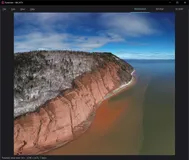
Experience the art of panorama creation with this versatile stitching tool. It’s compatible with a wide range of devices including drones, DSLRs, mirrorless cameras, and smartphones, ensuring everyone can craft breathtaking images. This user-friendly application supports all popular drone models and various panorama types, offering unmatched convenience.
Whether using DNG (RAW) or JPEG images, the results are always professional quality. Create interactive 360° panoramas effortlessly, perfect for social media, VR, or mapping applications. Running natively on both Windows and macOS, it guarantees smooth operation across platforms.
Seamlessly merge images with cutting-edge technology that combines location and orientation data for precise stitching. The powerful batch mode further enhances productivity, allowing users to process multiple panoramas automatically. And for those tricky captures, it even fills gaps in the sky, ensuring every panorama is perfect.
Choose your preferred panorama type, from 180° to spherical projections. Automatic straightening of curved horizons adds to the ease of use, while the review and editing features give users complete control. Dive into the 3D map tool, explore image boundaries, and ensure every detail aligns.
Not limited to drone photography, this application is adept with handheld cameras too. With a multilingual interface, it caters to a global audience, making it a comprehensive choice for any photographer looking to enhance their panorama creation experience.

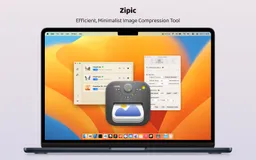
Turbocharge your workflow with a remarkable image compression tool designed to make your life simpler. With an intuitive drag-and-drop interface, you can handle batch image compression quickly and effortlessly.
Zipic boasts a high compression ratio with visual lossless quality, meaning your images retain their pristine appearance while significantly decreasing in file size. No more complex settings—just smooth, efficient compression that adapts to your needs.
Offering robust privacy protection, Zipic performs all compression actions locally on your device, ensuring your images never leave your hands. Plus, with a minimalistic native design, you experience fast operation through a user-friendly interface. Experience the flexibility of adjusting compression levels, resizing images, and converting formats like WebP, HEIC, or JPEG all in one place.
Whether you’re a writer, designer, or developer, Zipic streamlines your tasks by producing optimized image sizes that enhance your digital projects with ease. Enjoy blazing-fast load times, refined document sizes, and a tool that supports both macOS and upcoming Windows versions.

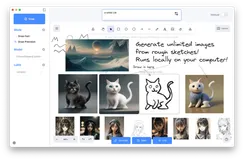
Create stunning artwork swiftly and with precision using advanced AI-powered diffusion techniques. DrawingPics is your ultimate tool for converting your rough sketches into polished masterpieces. Enjoy a seamless drawing experience that allows you to focus on your creativity instead of getting bogged down by details.
DrawingPics' accelerated Draw Fast Mode leverages Stable Diffusion's img2img for rapid sketch completion. For artists seeking superior control, the Draw Precision Mode enables more accurate line control to refine your draft. Additionally, DrawingPics supports third-party models and LoRA, allowing you to apply preferred styles to your drawings effortlessly.
Adjust the model's parameters to achieve optimal results and manage all your downloads with ease using the integrated Download Manager. We're continuously enhancing the product and welcome your feedback to further improve your experience.
Pay once for a lifetime license and enjoy all features, including lifetime updates and email support, ensuring that DrawingPics remains your go-to drawing tool for years to come.
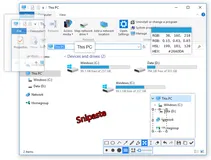
Looking for an efficient way to handle screenshots? Snipaste offers a sleek solution by combining snipping and pasting functionalities in one intuitive package. Once you download Snipaste, simply hit 'F1' to capture your screen in pixel-perfect detail, then press 'F3' to pin your screenshots as floating windows on your desktop.
This feature-rich tool not only captures still images but also recognizes text and color information from your clipboard, converting them into interactive windows.
Imagine the convenience of zooming, rotating, flipping, and adjusting the opacity of these windows, while also having them be click-through! Perfect for developers, designers, and anyone spending significant time on a computer, Snipaste will transform the way you work. With Snipaste, your productivity is set to soar thanks to the array of hidden features waiting to be discovered.
For an in-depth exploration of its capabilities, you can dive into the manual provided on their website.

Discover VueScan, the versatile scanning software that turns your obsolete scanner into a high-performance machine. Through state-of-the-art reverse engineering, VueScan liberates over 7400 different scanner models, freeing you from the constraints of discontinued drivers. Download and start scanning in seconds, with easy setup across multiple platforms including Windows and macOS.
Enjoy a suite of advanced features designed to streamline your document handling. Scan, save, and optimize your files with superior color accuracy and detail. Whether archiving a book, digitizing family photos, or preserving precious film and slides, VueScan provides professional-grade results with simplicity and efficiency.
Savor the exceptional value as customers worldwide acclaim its ease-of-use and powerful capabilities, echoing a commitment to quality scanning without the need for frequent upgrades. Embrace VueScan's regular updates and multilingual support, ensuring your scanning needs are always catered for.
With effortless integration into existing workflows and software like Photoshop, VueScan stands as the universal answer to document and image archiving and is lauded for its sustainable approach in extending the life of old scanners.
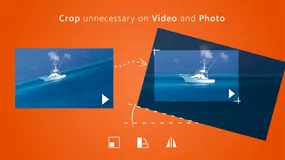
Ditch the complexity of media editing with CropiPic, your go-to tool for tailoring videos and photos for social media! Experience the joy of easily crafting polished content catered to platforms like Instagram, Facebook, and YouTube. Unleash your creativity with a few simple clicks – cultivate captivating colors, incorporate serene music, and sprinkle your media with special effects.
Say goodbye to the guesswork in finding the perfect aspect ratio for your social media uploads. CropiPic has the intelligence built-in to ensure your clips are flawlessly sized for the spotlight. Not just a cropping wizard, CropiPic is also adept at reducing file sizes for swifter uploads while conserving valuable storage space.
Editing doesn't have to be a chore – from sprucing up your clips with trimming, effects, and background tunes, to adding personalized watermarks, CropiPic simplifies all your basic editing tasks. Don't wait any longer – transform your digital content into mesmerizing masterpieces with CropiPic. Start cropping like a pro and revel in the appreciation your enhanced images and videos receive online!

Capto provides Mac users with an effortless solution for capturing screens and editing videos. It offers a seamless experience from recording high-definition footage with 60 FPS and clear audio to post-capture editing with a powerful suite tailored for perfection. With features for both screen and web captures, users can take full-screen images or select specific areas.
The tool allows for editing screenshots and enhancing them with annotations or adjustments. Capto's dual audio editor enhances the output's quality by allowing independent system and microphone audio edits. Additionally, iOS screen recording is available, enabling users to capture their iPhone or iPad's activity.
File management is optimized with an intuitive structure for easy access and organization. And for the final touch, Capto has built-in sharing capabilities, supporting direct uploads to various platforms like Facebook, Tumblr, Dropbox, Evernote, and YouTube, or onto your remote servers via FTP/SFTP.

Tired of the endless emails and chats that consume your workday? Make a shift to a more efficient communication style with this powerful screen recording tool. Quickly explain complex topics, reduce misunderstandings, and enhance collaboration within your team by sharing visual messages.
This application is a game changer not just for your workflow but for interacting with customers, managing projects, and providing design feedback, among other uses. With a suite of features designed to simplify your life, you can capture your screen, add annotations, and share content instantly while maintaining complete control over privacy.
This tool also includes analytics to understand viewer engagement and content management to organize your captures effectively. From software developers doing code reviews to sales teams providing personalized demos, this application caters to a diverse range of professional needs.
It has proven to transform business communications, as evidenced by glowing testimonials from industry leaders who have witnessed the app's impact on their operations.
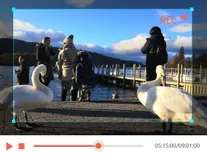
Discover the ultimate solution for capturing your screen's activities with precision and ease. This top-tier software provides a seamless experience for recording anything from gameplay to video calls, presentations to tutorials, and everything in between. Elevate the quality of your recordings with an array of editing tools designed to emphasize key information and customize content in real-time.
Benefit from advanced features like high-quality audio capture, GPU-accelerated recording, and versatile output formats that cater to your every need. With a robust set of functionalities, this application ensures that your screen captures are not only flawless but also tailored to your preferences.
You can edit, merge, trim, compress, and convert your recordings with just a few clicks, making post-recording processes a breeze. Plus, effortlessly record your mobile device screen right from your computer for an unmatchable viewing experience.
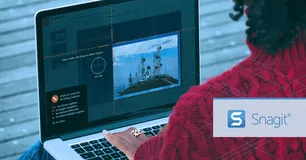
Snagit is the preferred solution for over 40 million users looking to create high-quality visuals and recordings, streamlining their communication and work process. With a rich array of features, it rises above basic built-in tools, providing a comprehensive suite for creative and professional output.
Navigate through clutter effortlessly with Snagit's Library, keeping your content synced and sorted. Edit with ease, using the powerful text recognition to modify screenshots or create simplified user interface graphics with a single click. Smart move functionality and customizable presets augment the user experience, promoting efficiency.
Snagit's editor is built for creativity, allowing users to polish captures with professional templates and markup tools. Share your work anywhere with convenient integration across multiple platforms like PowerPoint, Excel, and more. With Snagit, you can capture anything, tailor your recordings, and boost productivity with its advanced editing capabilities.
FAQ
What is the cheapest app in this collection?
CropiPic is the cheapest option at $2.99 one-time.
Are there free options in this collection?
Yes. Panovolo, Zipic, DrawingPics, Snipaste and VueScan offer a free tier, with a one-time upgrade if you need more.
Which platforms does this collection cover?
These apps run on Mac, Windows and Linux.
Do these apps require a subscription?
No. Every app on PayOnceApps is listed because it sells a one-time (perpetual) license. Some also offer a free tier or trial. Prices are checked against the developer's site but can change, so confirm on the app's website before buying.