
Best pay-once Music & Audio apps for Windows
Subscription audio tools can be more than Windows music work needs. These pay-once music and audio apps include WithAudio, Backbeat Forge and SpeechPulse.
Quick answer
This collection has 7 pay-once apps, priced from $19 to $295 one-time. 1 of them offers a free tier, including Backbeat Forge. Between them they cover Linux, Windows and Mac. WithAudio is our top pick from this list.
Last updated September 2026
Subscription audio tools can add ongoing costs to Windows music and production work. The apps here cover audio conversion, transcription, editing and watermarking, and each is sold as a one-time purchase.
WithAudio converts text to speech for audio output. Backbeat Forge transcribes drums locally for musicians and producers. SpeechPulse handles voice typing and translation across applications.
Recut cuts silence from videos automatically. AG Watermark Generator secures online music with an audio watermark.
Best pay-once Music & Audio apps for Windows at a glance
| App | One-time price | Platforms | Free tier |
|---|---|---|---|
| Backbeat Forge | Free tier, $19 one-time | Linux, Windows | Yes |
| WithAudio | $29.99 one-time | Mac, Windows | No |
| SpeechPulse | $19.95 one-time | Windows | No |
| DaVinci Resolve | $295 one-time | Linux, Mac, Windows | No |
| Recut | $99 one-time | Mac, Windows | No |
| AG Watermark Generator | $39.99 one-time | Linux, Mac, Windows | No |
| FocuSee | $79.99 one-time | Mac, Windows | No |
Prices are one-time license fees as listed on each developer's site and may change.

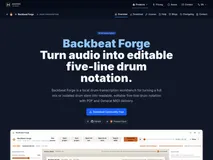
Backbeat Forge is a local drum transcription workbench designed to convert audio into editable five-line drum notation. It stands out with its ability to handle full mixes or isolated drum stems, offering PDF and General MIDI export options.
The application provides a source-first workspace for detection, score review, playback, and export, ensuring musicians can create precise and readable drum scores.
Perfect for drummers and producers, Backbeat Forge allows users to inspect and correct kit pieces, articulation, and timing. The app supports MIDI performance import and features a floating stem mixer for balanced playback. With a one-time purchase, users unlock advanced editing and export features, making it a valuable tool for those who want to own their software outright.

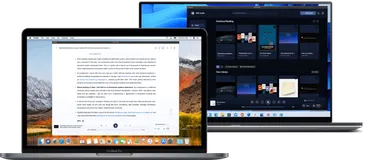
WithAudio is a versatile text-to-speech application designed for Mac and Windows, offering a seamless way to convert text into high-quality audio. Its standout features include studio-quality voices, synced highlighting, and private on-device processing, ensuring your documents never leave your device.
The app supports a wide range of formats, including EPUB, PDF, and Markdown, making it a comprehensive tool for audio conversion.
Perfect for students, professionals, and anyone who loves audiobooks, WithAudio allows you to transform your reading experience. The one-time purchase model provides unlimited character usage, making it a cost-effective choice for avid readers. With its intuitive interface and regular updates, it's a must-have for those seeking a distraction-free audio experience.

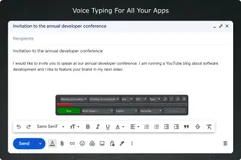
Discover the future of productivity with SpeechPulse, the state-of-the-art speech recognition tool designed to keep you efficient and focused. Transform your spoken words into written text instantly, with real-time, high-accuracy transcription powered by OpenAI's Whisper models. SpeechPulse shines even in noisy environments, ensuring no word is missed.
Multilingual support is at your fingertips; with multiple languages recognized, you can communicate and create content in the language of your choice. Additionally, bridge the language gap with real-time translation that turns foreign speech into English text. SpeechPulse isn't just for live conversation—bring it into your workflow by transcribing audio files in various formats with ease.
If you're working with videos, SpeechPulse effortlessly generates subtitles in popular formats, accurately syncing up with the audio. With its complete offline functionality, safeguard your privacy while tapping into the benefits of cutting-edge voice recognition technology.
All these features are packed into a sleek, user-friendly package that integrates seamlessly with text editors, office suites, and web browsers, enhancing your everyday computer interactions without interruption.

Step into the world of professional content creation with the industry's leading post-production software. Perfect for beginners and pros alike, this tool simplifies your workflow by integrating editing, color correction, visual effects, motion graphics, and audio post production into a single, powerful package.
With an intuitive interface, users can quickly learn the ropes, while veterans will appreciate the sophisticated features at their fingertips. Imagine a world where quality isn't compromised, as you maintain camera original quality throughout the process.
Learning this software doesn't just mean acquiring new skills—you're mastering the very tools used in Hollywood, right from the comfort of your own home. The latest version supercharges your workflow with new AI tools, yielding over 150 new features.
Experience the fluidity of cut page editing, enhanced Fusion for seamless visual effects, robust Fairlight audio mix automation, and more—streamlining your creativity like never before.
Recut is designed to streamline your video editing process. This automation software does a tedious task for you: eliminating silence from your videos. This means no more time-consuming manual removal of every quiet gap, allowing for reduced editing time and enhanced productivity. The application works by identifying the silent parts in your videos.
You can tweak the settings so that the output sounds just right, ensuring it's not too compressed or too drawn out. What makes Recut unique is that it gives you the freedom to decide: whether to cut all of the silence or select specific parts to keep. One of the significant strengths of Recut lies in its versatility.
It supports XML file compatible editors such as Adobe Premiere, Final Cut Pro, and DaVinci Resolve among others. Plus, you can use it to edit podcasts or any audio-only content besides videos. The app's convenience extends to its ability to work effortlessly with multiple files and provide frame-accurate results on most popular cameras.

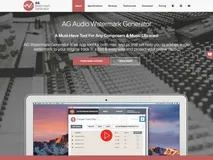
Our application, AG Watermark Generator, is a robust and efficient music tool offering an exceptional solution to protect your online music. It assists both amateur and professional composers by providing an easy-to-use platform where users can add audio watermarks to their original tracks promptly.
Designed to support both macOS and PC platforms, its user-friendly interface offers seamless interaction with the aesthetic functionality. Additionally, the built-in audio preview player allows users to preview original files with the watermark. Disparate audio formats, Mp3, AIFF, and WAV are supported, offering wide-ranged compatibility for different user needs.
Moreover, it allows customization of the watermark mix volume and output file name, ensuring easy track identification and optimal audio quality control. The application is capable of batch processing and merges multiple tracks into one preview file. With its fast processing algorithm, you can process more than 500 files in 5 minutes.

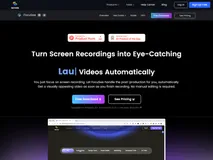
Just record your screen, FocuSee will handle the rest. It automatically follows your cursor as you move it, applying dynamic zoom effects and placing a nice background behind your footage. This results in a professional-grade video ready for use, cutting down the hours and effort typically spent on video editing. Designed for demos, tutorials, promos, product launches, and sales pitch videos.
You can also add in-video quizzes and call-to-action buttons. With FocuSee, you can even resize your video for different social media platforms with a single click. The software can be used to record captivating videos for product releases and updates, making it a versatile tool in your marketing toolkit.
Personalize your videos by selecting selfie and screen layouts, adding frames and filters, or modifying your video with a variety of editing options which include trim, cut, crop, speed up, and slow down. Whether you need a side-by-side setup, an overlay, or screen-only presentation, FocuSee has got you covered.
FAQ
What is the cheapest app in this collection?
Backbeat Forge is the cheapest option at Free tier, $19 one-time.
Are there free options in this collection?
Yes. Backbeat Forge offers a free tier, with a one-time upgrade if you need more.
Which platforms does this collection cover?
These apps run on Linux, Windows and Mac.
Do these apps require a subscription?
No. Every app on PayOnceApps is listed because it sells a one-time (perpetual) license. Some also offer a free tier or trial. Prices are checked against the developer's site but can change, so confirm on the app's website before buying.