
Best pay-once Productivity apps
Subscription productivity suites can make small workflow fixes feel like ongoing bills. These are workflow, text and capture tools, including Folge, Typinator and TextSniper.
Quick answer
This collection has 15 pay-once apps, priced from $5 to $199 one-time. 10 of them offer a free tier, including SADFinder, Bentowise and AIGenTools. Between them they cover Mac, Windows and Web. SendMyVoice is our top pick from this list.
Last updated September 2026
Subscription productivity suites can turn small jobs like typing, capture and file browsing into ongoing bills. This collection covers workflow, text, file and creation tools, and each app is sold as a one-time purchase.
Folge creates step-by-step guides for documentation. Typinator is for custom text shortcuts. TextSniper captures text from any screen. SADFinder is for macOS file management with Windows-style keyboard navigation. Rapidemo creates screen recordings with automatic animations.
Best pay-once Productivity apps at a glance
| App | One-time price | Platforms | Free tier |
|---|---|---|---|
| SADFinder | Free tier, $49 one-time | Mac | Yes |
| Bentowise | Free tier, $39 one-time | Mac, Windows | Yes |
| AIGenTools | Free tier, $11 one-time | Web | Yes |
| ePaperCraft SHIRYU | $5 one-time | Windows | No |
| Unfold | Free tier, $7 one-time | Mac | Yes |
| SendMyVoice | Free | Web | Yes |
| Fluent | Free tier, $49 one-time | Mac | Yes |
| DropNotch | Free | Mac | Yes |
| Rapidemo | Free tier, $199 one-time | Windows | Yes |
| MacCopilot | €19.99 one-time | Mac | No |
| Typinator | $29.99 one-time | Mac | No |
| Pomy | Free tier, €4.99 one-time | Mac, Windows | Yes |
| TextSniper | $7.99 one-time | Mac | No |
| PastePal | $7.99 one-time | Mac | No |
| Folge | Free tier, €75 one-time | Mac, Windows | Yes |
Prices are one-time license fees as listed on each developer's site and may change.

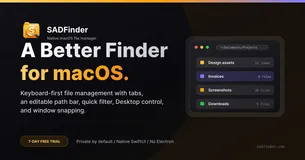
SADFinder offers a transformative experience for macOS users by enhancing the default Finder with intuitive navigation and efficient file management. Key features include window snapping with keyboard shortcuts, a typeable path bar, and customizable themes. These enhancements make file operations faster and more intuitive, addressing common frustrations with the standard Finder.
Perfect for users transitioning from Windows to Mac, SADFinder provides familiar navigation shortcuts and improved workflow efficiency. Its lifetime license for up to three Macs ensures that users can enjoy continuous updates without recurring fees. Experience a more powerful Finder with a free 7-day trial.
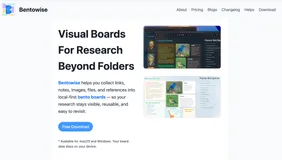
Bentowise offers an innovative approach to data visualization, transforming complex datasets into clear, actionable insights. With customizable dashboards and real-time analytics, it empowers users to make informed decisions quickly. The application stands out with its intuitive interface and robust integration capabilities.
Designed for business analysts, Bentowise simplifies data interpretation, making it accessible and efficient. Its one-time purchase model ensures you own the software forever, providing exceptional value and eliminating ongoing subscription costs. Discover the clarity and precision Bentowise brings to your data-driven projects.


AIGenTools is an all-in-one platform for AI image, video, and chat generation, integrating leading models like GPT and Seedance. It offers unique tools such as AI clothes changer and image animation, allowing users to create stunning visuals and smart content effortlessly. With HD downloads and no watermark on free plans, it stands out as a versatile creative solution.
Designed for creators, designers, and marketers, AIGenTools simplifies the creative process by providing a single platform for all AI needs. Users can explore various models and tools without juggling multiple accounts, making it a convenient choice for those looking to streamline their workflow. Enjoy the benefits of free credits and seamless integration across tools.


ePaperCraft SHIRYU is a Windows-based software that transforms your digital designs into tangible paper models. With over 70 ready-to-build models, you can start by printing and assembling existing templates, then move on to creating your own designs. The software allows you to design, unfold, and print patterns, making it a versatile tool for both beginners and experienced papercraft enthusiasts.
Ideal for hobbyists, educators, and creative workshops, SHIRYU offers a simple yet powerful interface to bring your ideas to life. Its one-time purchase price of US$5 includes free updates and commercial use rights for your original works. Whether you're crafting for fun or teaching, SHIRYU provides a seamless transition from screen to paper.

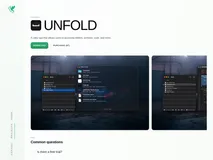
Unfold is a versatile utility app designed for macOS users, allowing quick previews of folders and over 100 file types, including code, archives, and documents. It supports a wide range of formats such as JSON, Markdown, and various programming languages, making it an essential tool for developers and power users.
Perfect for those who need rapid access to file contents without opening each individually, Unfold operates completely offline, ensuring privacy and convenience. With a one-time purchase, users receive lifetime updates, making it a valuable investment for anyone looking to streamline their workflow on macOS.

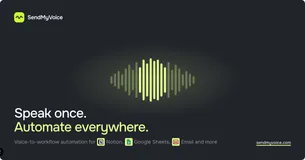
SendMyVoice revolutionizes the way you capture and organize information by transforming voice notes into structured data. With just a tap, speak naturally and let AI handle the transcription and data parsing, turning your spoken words into organized fields like amounts, dates, and categories.
This app seamlessly integrates with Notion, allowing you to create new database rows or pages instantly, making data entry a breeze.
Designed for professionals who prefer talking over typing, SendMyVoice is perfect for logging expenses, meeting notes, and daily standups. The app supports multiple languages and offers custom workflows that you set up once and use forever. Start with a free plan to explore its capabilities, and upgrade to unlock unlimited recordings and integrations.
It's a must-have tool for anyone looking to streamline their workflow and enhance productivity.
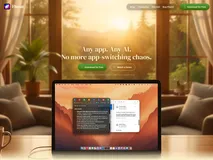
Fluent is a versatile AI writing assistant designed specifically for macOS, allowing users to access AI tools across any application without switching. Its standout feature, the Smart Panel, captures context and runs customizable actions, making it a powerful tool for enhancing productivity.
With support for over 500 models, including OpenAI and local MLX models, Fluent offers unparalleled flexibility and privacy.
Ideal for writers, professionals, and anyone seeking to streamline their workflow, Fluent provides a seamless experience with its customizable shortcuts and context-aware capabilities. The lifetime license ensures that users can enjoy continuous updates and support without recurring fees, making it a valuable investment for long-term productivity.
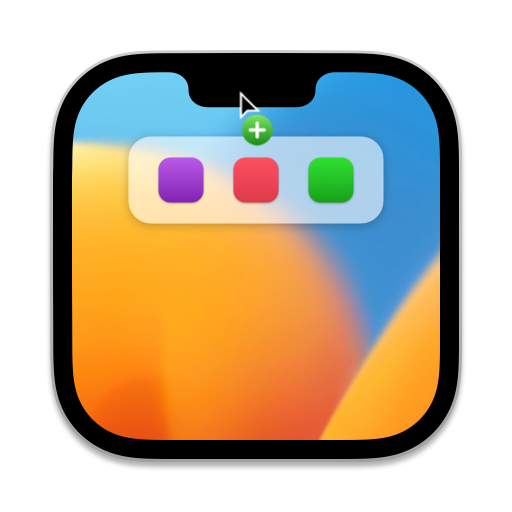
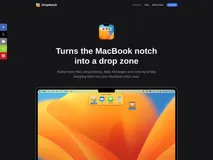
DropNotch is a unique application that transforms your MacBook's notch into a convenient file-sharing drop zone. Designed exclusively for Mac using Swift, it allows you to easily share files through AirDrop, Mail, Messages, and more by simply dragging them into the notch area. This native Universal app supports both Apple Silicon and Intel Macs, ensuring seamless integration across devices.
Ideal for Mac users who frequently share files, DropNotch enhances productivity by providing a quick and intuitive way to access sharing options. Even if your Mac lacks a physical notch, the app creates a virtual drop zone in the menu bar, making it versatile for all macOS 12.0 or newer devices. Best of all, it's free, offering a no-cost solution to streamline your workflow.

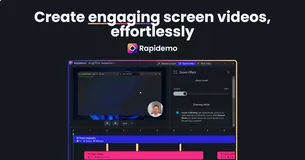
Rapidemo records your screen and automatically adds zoom animations and smooths cursor movements, turning a single take into a polished video. It supports resolutions up to 4K and exports in MP4 and GIF formats. The app also allows for cursor customization and includes features like camera overlays and subtitle generation.
Designed for creators, founders, and teams, Rapidemo fits anyone needing to produce tutorials, demos, or educational content. The license is a one-time purchase for $199, covering three Windows computers with one year of updates. A free trial is available, but exporting requires a license.
Rapidemo does not support macOS or Linux, and ARM64 is not officially supported. All processing happens locally, ensuring no recording data is sent to the cloud.

Discover the ultimate AI copilot for macOS, perfectly integrated with advanced AI models like GPT-4, ClaudeAI, and Google Gemini. Elevate how you interact with your screen content by capturing any part of your screen and engaging in meaningful conversations with these intelligent models. Export your captured insights as Markdown for easy documentation and sharing.
Easily select and capture any portion of your screen with the built-in screenshot tools, which offer a flexible selection and resizing options. Whether for work or creativity, this feature streamlines your workflow.
Connect effortlessly to a wide variety of AI models, including GPT-4-turbo, ClaudeAI's Haiku, and Google Gemini 1.5, ensuring you have the optimal model for your needs. The support for local LLM servers adds an extra layer of flexibility.
MacCopilot is designed for macOS 12.0 and later, making it a versatile addition to any modern macOS setup. With seamless multi-platform support and easy integration, it's poised to transform your productivity and creativity. Revolutionize your experience with this powerful AI-driven tool!

Typinator 9 elevates your productivity by streamlining repetitive typing tasks. With a revamped interface, it simplifies your workflow, allowing you to focus on what truly matters. Create your personalized abbreviation sets to speed up writing and maintain a consistent voice across your team or company. Bid farewell to typos and misspellings with the automatic correction feature.
Typinator ensures your texts are always professional by fixing errors on the fly. Plus, you can create your tailor-made corrections list for company-specific or personal terms. But Typinator isn't limited to text; it can input a wide array of boilerplates, such as names, dates, formulas, variables, images, and even perform calculations.
Optimized for universal compatibility, this tool works across all your programs and applications, improving efficiency not just in writing but in any task requiring text input.

Designed to combat eye strain while enhancing focus, Pomy integrates the Pomodoro technique with the optometrist-recommended 20-20-20 rule. Users enjoy productive work sessions, punctuated by short breaks to rest the eyes and look into the distance, all facilitated by a simple timer mechanism. The app boasts a minimalistic design, prioritizing user experience without overwhelming features.
Customizable timer settings allow for flexibility, catering to individual work habits and preferences. With a special overlay reminding you to take breaks and the ability to track work and rest periods, Pomy serves not just as a productivity tool but also as a health-conscious companion.
Aesthetic customization, with scenic break videos and a selection of dark and color themes, turns the mundane task of time management into an experience that's both visually appealing and beneficial to well-being. Additional features support the app's adaptability to various work environments, including a Junior timer with skins and a new compact mode to suit different screen real estate needs.
Pomy transitions smoothly between work and break times, ensuring the focus remains uninterrupted by external display connections or system locks, delivering an uninterrupted and seamless user experience.
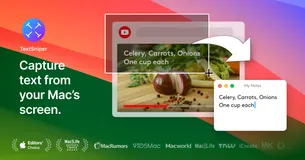
Unlock the full potential of text capture with our innovative screen snipping tool tailored for Mac users. Have you ever faced the hassle of trying to copy text that seems forever trapped within an image, video, or even a PDF file? We present a nifty solution that's not just about capturing text; it's about saving time and skyrocketing productivity.
Our application thrives on simplicity, allowing you to initiate the OCR process with an intuitive keyboard shortcut, resulting in text that's instantly ready for copying and pasting into your desired location. Imagine the convenience of digitizing text from a variety of sources, including web pages, documents, presentations, and more, without ever fretting about text selectability.
However, the brilliance doesn’t stop there. The app transcends mere text recognition with features such as a QR and barcode reader, a valuable text to speech function, and seamless integration that stays out of your way until needed.
With advanced OCR technology under the hood, text recognition is not just fast—it's lightning-fast! It's the ideal assistant for students, professionals, and anyone looking to streamline their digital workflow.
PastePal operates with speed and precision, handling an unlimited history with a fast index and search. It's written in native AppKit and Swift to provide a top-notch Mac experience. There's no tracking involved; your data remains safe and local on your devices. It offers a high level of user control, allowing you to regulate what and how the history is saved with various settings.
PastePal is incredibly flexible, providing a handy bar that can be positioned wherever you prefer. It comes with smart detection of copied and pasted items along with their source application. It includes a powerful context menu that offers a multitude of options.
PastePal is designed to be unobtrusive, showing up with a keyboard shortcut or from the menu bar, and easily dismissed with the Esc key or the down arrow button. It supports local network sharing between PastePal apps, even without Handoff or iCloud Sync.


Folge is a desktop application designed to create detailed step-by-step guides and documentation. It captures workflows with automatic screenshots and offers extensive editing tools, including annotations and customizable layouts. Export your guides in multiple formats such as PDF, HTML, and Word, making it versatile for various documentation needs.
Ideal for IT support, onboarding, and education, Folge allows users to manage their documentation securely on their local machines. With a one-time purchase, users gain lifetime access to all features and updates, ensuring a cost-effective solution for comprehensive documentation.
FAQ
What is the cheapest app in this collection?
ePaperCraft SHIRYU is the cheapest option at $5 one-time.
Are there free options in this collection?
Yes. SADFinder, Bentowise, AIGenTools, Unfold and SendMyVoice offer a free tier, with a one-time upgrade if you need more.
Which platforms does this collection cover?
These apps run on Mac, Windows and Web.
Do these apps require a subscription?
No. Every app on PayOnceApps is listed because it sells a one-time (perpetual) license. Some also offer a free tier or trial. Prices are checked against the developer's site but can change, so confirm on the app's website before buying.