
Best pay-once Design apps for Mac
Subscription design tools can be more than some Mac workflows need. These pay-once design apps cover screenshots, recording and image work, including Shottr, Eagle and Onirica.
Quick answer
This collection has 15 pay-once apps, priced from $8 to $295 one-time. 4 of them offer a free tier, including Debut, Savvyshot and Shottr. Between them they cover Mac, Windows, Linux and Web. Annotate is our top pick from this list.
Last updated September 2026
Subscription design software can add ongoing cost to screenshots, recording and image work. These Mac design apps cover capture, organization, editing and creation, and each is sold as a one-time purchase.
Shottr captures, annotates and optimizes screenshots. Eagle organizes design files. Onirica creates and edits AI images offline on Mac. Dina creates AI-powered video for polished presentations on macOS.
Best pay-once Design apps for Mac at a glance
| App | One-time price | Platforms | Free tier |
|---|---|---|---|
| Onirica | $12.99 one-time | Mac | No |
| Dina | $49 one-time | Mac | No |
| Debut | Free tier, $39 one-time | Mac | Yes |
| Savvyshot | Free tier, $9.99 one-time | Mac, Windows | Yes |
| Droppable | €9.99 one-time | Mac | No |
| Annotate | $15 one-time | Mac, Windows | No |
| Shottr | Free tier, $8 one-time | Mac | Yes |
| Snagit | $75 one-time | Mac, Windows | No |
| Concepts | Free tier, $19.99 one-time | Mac, Windows | Yes |
| Eagle | $29.95 one-time | Mac, Windows | No |
| Boxy Svg | €9.99 one-time | Linux, Mac, Web, Windows | No |
| ResizeGenius | $10 one-time | Mac | No |
| DaVinci Resolve | $295 one-time | Linux, Mac, Windows | No |
| CleanShot X | $29 one-time | Mac | No |
| Xnapper | $15 one-time | Mac | No |
Prices are one-time license fees as listed on each developer's site and may change.
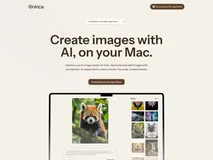
Onirica is a cutting-edge AI image studio designed exclusively for Mac users, enabling offline image generation and editing. With no need for internet connectivity, Onirica allows you to create images from text prompts, edit existing photos using simple descriptions, and restore old pictures—all directly on your device.
The app offers the same high-quality AI model you'd expect from cloud-based tools, but without any cloud dependency.
Ideal for creatives who value privacy and simplicity, Onirica ensures that your images never leave your Mac. It's perfect for anyone who wants to generate and edit images without technical skills or subscriptions. With a one-time purchase, you own the app forever, including all future updates. Whether for personal or commercial use, Onirica provides a seamless and private creative experience.
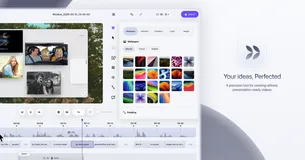
Dina is a precision tool for creating refined, presentation-ready videos on macOS, designed for the AI era. It offers a complete video workflow, capturing screen, audio, camera, cursor, and keystrokes in one take. With features like cinematic zoom and smooth animations, Dina ensures every recording feels polished and engaging.
Ideal for content creators and educators, Dina provides studio-quality 4K output and multiple export formats. Its AI-powered features, such as automatic transcript editing and voiceovers, make it a standout choice. Purchase once and enjoy lifetime updates, making it a valuable investment for any Mac user.

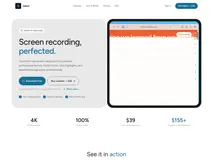
Debut is a professional screen recording tool for macOS, designed to transform raw screen captures into polished, professional demos. It offers features like smart zoom, click highlights, and beautiful backgrounds, all automated to save you time. With 4K 60fps exports and a native Swift app, Debut ensures high-quality results every time.
Perfect for content creators and professionals who need to create stunning demo videos without complex editing software. Debut's one-time purchase model means no recurring fees, and you get lifetime updates. It's an excellent choice for anyone looking to produce professional-quality videos effortlessly.
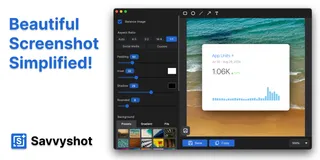
Savvyshot is an all-in-one screenshot editor designed to help you craft beautiful screenshots with ease on Windows and Mac. With features like annotations, customizable backgrounds, and auto-redaction, you can enhance your visuals and create share-worthy images in just a few clicks. Capture any region or window instantly and enjoy seamless editing with a built-in intuitive editor.
Perfect for professionals like designers, developers, and content creators, Savvyshot streamlines the process of creating polished screenshots without the design overhead. Pay once and own it forever, with free updates for life, making it a valuable tool for anyone needing fast, high-quality screenshots.
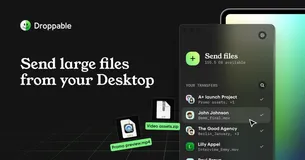
For creatives, sending large files is a crucial part of everyday tasks. Be it unedited photos, massive videos, or simple presentations, traditional methods often come with inefficiencies and unnecessary complexities. Droppable changes that by allowing you to send new transfers in just a few clicks directly from your Desktop.
Thanks to its native macOS design, the app feels like a true extension of your operating system. It’s small, unobstructive, and becomes part of your workflow seamlessly. You can effortlessly select recipients from your contact lists, add a note, set an expiry date, and send your files.
The app's messenger-style interface helps you keep a clear overview and history of all your transfers, making your file-sending experience efficient and joyful.
Convenience meets flexibility with the ability to store files on Google Drive, giving you control over your storage while saving costs. Send large files to individuals or groups with ease, and rest assured knowing your files are secure and easy to manage.
Droppable is the ultimate tool for creatives looking to streamline their file transfer processes, designed to enhance productivity and joy in your work.
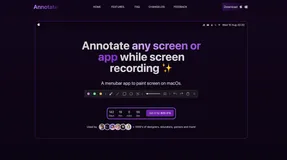
As a powerful macOS menubar addition, this application stands out for its simplicity and effectiveness. It allows users to draw and illustrate thoughts directly on their screen, taking productivity to a new level. Need to explain something visually? Now you can draw attention to what matters most in presentations or tutorials with a few simple clicks.
Providing an intuitive user interface, it encourages creativity and seamless collaboration. Not only does it facilitate the drawing on your screen, but it also brings screen recording capabilities without the hassle of complex setups.
One of the strongest selling points is the application's friendly approach to privacy, requiring no permissions to operate, which underscores its commitment to user security. Plus, with an affordable one-time purchase that includes a year of updates, it's a valuable investment for improving your workflow.
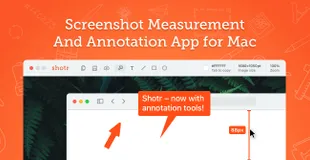
Discover the streamlined efficiency of macOS's premier screenshot utility. Specially designed to be both compact and powerful, the app takes up minimal space and performs at blazing speeds, initiating in a mere 17ms. With seamless integration for the latest Apple chips, this app realizes your need for speed and performance.
The tool boasts the unique ability to capture entire webpages or lengthy chats via scrolling screenshots – a rarity amongst Mac apps. Edit images with annotations or hide sensitive details using its intuitive pixelation and object removal features. Text recognition (OCR) transforms non-selectable text into copy-ready content, while QR code reading adds yet another layer of convenience.
Keep your workspace organized and your references at hand by pinning screenshots on top of all windows, utilizing built-in screen measurement tools, and keeping your desktop clutter-free with a dedicated save folder. Zoom into the fine details or pick colors accurately with its digital magnifying glass feature.
Designed for designers, developers, and pixel perfectionists, this application redefines your screenshot-taking experience, ensuring high precision and utility. Recent updates include expandable canvas, side-by-side screenshots, and various experimental features to enhance your workflow.
With every update, the application continues to refine its functionality and user experience, prioritizing performance, and versatility.
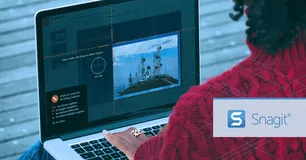
Snagit is the preferred solution for over 40 million users looking to create high-quality visuals and recordings, streamlining their communication and work process. With a rich array of features, it rises above basic built-in tools, providing a comprehensive suite for creative and professional output.
Navigate through clutter effortlessly with Snagit's Library, keeping your content synced and sorted. Edit with ease, using the powerful text recognition to modify screenshots or create simplified user interface graphics with a single click. Smart move functionality and customizable presets augment the user experience, promoting efficiency.
Snagit's editor is built for creativity, allowing users to polish captures with professional templates and markup tools. Share your work anywhere with convenient integration across multiple platforms like PowerPoint, Excel, and more. With Snagit, you can capture anything, tailor your recordings, and boost productivity with its advanced editing capabilities.

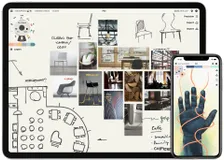
Discover the powerhouse for sketching, planning, and sharing your vision. With Concepts, your creative process becomes as limitless as your imagination. The digital canvas expands infinitely, allowing your ideas to grow with precision and without bounds. Your artistic strokes transform into editable vectors, setting the stage for endless tweaking and perfecting.
The hybrid vector-raster tools offer an array of designer brushes and colors, enabling fine artistry and dynamic concepts. Responsive design tools aid in precise creation, while the capability to import files enhances collaborative potential. Export functionalities bridge your work with external platforms, ensuring seamless workflow transitions.
The cross-platform journey earmarked for 2023 aims to bring this transformative experience to iOS, Windows, Android, and ChromeOS users alike.
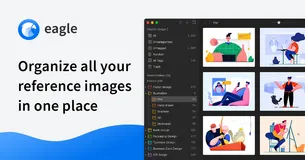
Discover the next level of efficiency in managing design assets! Eagle's innovative application allows you to effortlessly store, organize, and access your vast array of design files. Keep your creative workflow uncluttered with Eagle's intuitive tagging and folder systems. Say goodbye to endlessly scrolling through disorganized directories.
Our smart folder feature even automates your organization, making sure you stay on top of your game. Annotate, tag, and classify – Eagle handles the heavy lifting so you can focus on inspiration and creativity.
But that's not all – our application seamlessly fuses with your design journey, encompassing advanced search capabilities with filters for color, keywords, and more, ensuring you swiftly locate the asset you need. Our integrated preview options cater to a quick glance or a detailed examination, saving you invaluable time.
Join the league of top-tier designers who have already integrated Eagle into their daily practice. Enhance collaboration with effortless syncing across various cloud platforms, and handle any file format thrown your way. Eagle isn't just about asset management; it's about refining your entire design process.

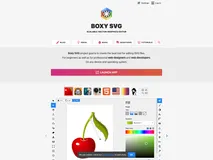
Dive into the world of vector graphics with ease and precision. Boxy SVG provides a user-friendly interface allowing both beginners and professionals to produce high-quality designs. Explore an extensive set of tools that make drawing and manipulating shapes, texts, and images a breeze.
Customize your workspace to suit your workflow, and take advantage of the broad compatibility with various file formats for seamless integration into your projects. With a robust set of features, you’ll be creating scalable, non-destructive designs that are perfect for web and print mediums.
Tap into the potential of vector graphics for detailed illustrations, branding, typography, and so much more!

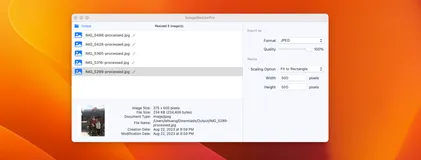
Looking to resize and edit multiple images on your Mac with speed and ease? Look no further! With our intuitive, straightforward app, you can process a plethora of photos simultaneously without compromising their quality. Whether you're working on a personal project or professional assignment, our app ensures that your images come out looking exactly as you intend, every time.
Diving into the details, you'll be amazed by the functionalities at your fingertips! Maintain the natural aspect ratio of your pictures while converting them into various formats, suitable for any occasion or platform. The drag-and-drop simplicity coupled with error alerts ensures you retain control and stay efficient throughout the editing process.
The true beauty lies in its simplicity - configured settings act like a recipe, enabling consistent outcomes for batch operations. Designed for simplicity yet powered by robust features, it is the go-to tool for bloggers, digital artists, and anyone in need of bulk image editing. Streamline your workflow, save time, and achieve professional results with each use.

Step into the world of professional content creation with the industry's leading post-production software. Perfect for beginners and pros alike, this tool simplifies your workflow by integrating editing, color correction, visual effects, motion graphics, and audio post production into a single, powerful package.
With an intuitive interface, users can quickly learn the ropes, while veterans will appreciate the sophisticated features at their fingertips. Imagine a world where quality isn't compromised, as you maintain camera original quality throughout the process.
Learning this software doesn't just mean acquiring new skills—you're mastering the very tools used in Hollywood, right from the comfort of your own home. The latest version supercharges your workflow with new AI tools, yielding over 150 new features.
Experience the fluidity of cut page editing, enhanced Fusion for seamless visual effects, robust Fairlight audio mix automation, and more—streamlining your creativity like never before.
CleanShot X is a multipurpose screen capturing tool, built to enhance the workflow of Mac users. It seamlessly blends with your tasks, acting as an 'invisible' application that's eliminating the need for multiple apps. With CleanShot X, you can capture, share, annotate, and even record your screen with minimal effort.
The app's quick access overlay makes your workflow smooth, allowing you to easily save, copy, drag, and drop screenshots or screen recordings to other applications. Additionally, it comes integrated with powerful features like scrolling capture for larger content.
You can record your screen activity, showing your webcam feed, highlighting mouse clicks and keystrokes, and even suppressing notifications for a clean recording. It also boasts a background tool and text recognition for enhancing your posts or copying text from non-selectable sources.
For a tidier workspace, CleanShot X offers the option to hide desktop icons permanently or temporarily and even allows you to pin screenshots to keep crucial things always visible. Other useful features include a self-timer, retina screenshot scaling, a custom wallpaper setting, and numerous adjustments for a personalized workflow.
This native app bridges the gap between functionality and performance, delivering robust features in a user-friendly package.

Xnapper is a powerful tool assisting thousands of creators daily in capturing beautiful screenshots. It excels in speed and keeping your screenshots perfectly balanced without needing any additional effort. Xnapper makes it convenient for users to focus on the content while the app looks after the rest.
A distinctive feature is the automatic redaction of sensitive information, providing single-click privacy control over information such as emails, credit cards, etc. More traditional features exist too, such as arrows, shapes, text, and blurring options for a comprehensive screenshot experience.
Social media sizes and ratios are built-in, along with presets and customizable settings for any unique requirements. It has the ability to compress output images and swiftly recognize text on-device for ease of use. An upcoming feature is the ability to upload these processed screenshots to the cloud.
FAQ
What is the cheapest app in this collection?
Shottr is the cheapest option at Free tier, $8 one-time.
Are there free options in this collection?
Yes. Debut, Savvyshot, Shottr and Concepts offer a free tier, with a one-time upgrade if you need more.
Which platforms does this collection cover?
These apps run on Mac, Windows, Linux and Web.
Do these apps require a subscription?
No. Every app on PayOnceApps is listed because it sells a one-time (perpetual) license. Some also offer a free tier or trial. Prices are checked against the developer's site but can change, so confirm on the app's website before buying.