
Adjusting volume and brightness on a MacBook can be cumbersome. EdgeBar turns your trackpad edges into smooth controls for these functions, with a lifetime license and free 1.x updates.
EdgeBar is a one-time purchase Mac app in Brightness Adjustment. It costs $5 one-time, with no subscription.
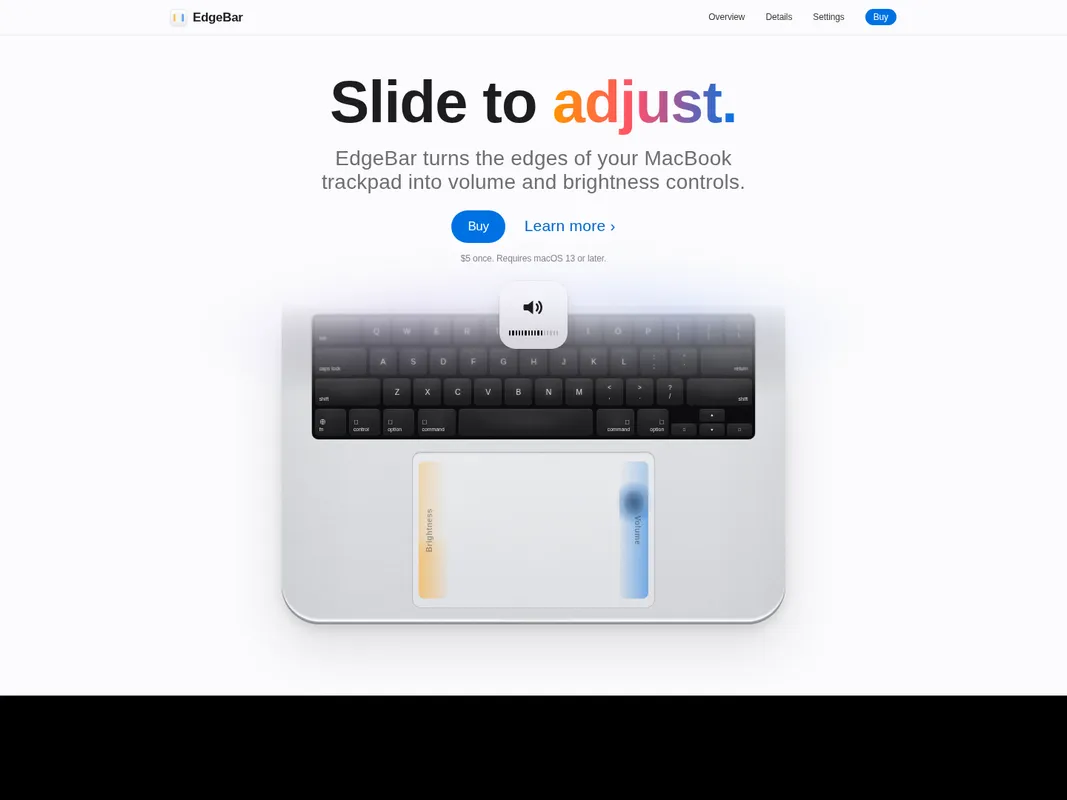
EdgeBar transforms your MacBook trackpad into a control surface for volume and brightness. The right edge adjusts volume, while the left handles brightness, with the same on-screen display as keyboard keys. Additional features include Quick Mute by double-tapping the top-right corner and a Media Strip at the bottom edge for media control.
EdgeBar suits Mac users who want quick access to volume and brightness without using keyboard keys. It offers a lifetime license for $5, with free updates within version 1.x. The app runs in the menu bar, using almost no CPU, and requires macOS 13 or later.
EdgeBar does not support older macOS versions before 13.0, and it is not available for Windows users.
| License | Perpetual, lifetime updates |
|---|---|
| Updates | Free 1.x updates |
| Trial | No trial |
| Subscription also offered | No |
| Platforms | Mac |
| Minimum OS | macOS 13 |
| Developer | Y Media Labs (company) |
| Version | 1.5 |
System requirements: macOS 13 or later
Why we listed it
EdgeBar offers a lifetime license with free 1.x updates, sold through Paddle. The app requires macOS 13 or later.
Best for: Mac users who want quick access to volume and brightness controls.
Not for: Users with macOS versions older than 13.0.
Pros
Cons


+6 more

+7 more


+3 more

+2 more


+3 more
+6 more